I made an OBS plugin that mimics that sweet sweet zoom effect from the @screenstudio Mac app, but instead of doing it as a post-video effect, you do it live.

Tap a hotkey to zoom in on the cursor of the screen you're recording. Tap again to zoom back out.

Here's the repo: https://github.com/zeke/obs-pointer-zoom


OBS is endlessly fun, especially when you get into repetitive hall of mirrors stuff.

here's me getting crazy with the cheez whiz...

https://pi.dev

Pi is now my default coding agent.

It's faster than any other agent I've used.

Its system prompt is small so you really feel the personality of the underlying model.

The tools are few, but usually enough.

It faithfully follows the Agent Skills format.

It's extensible so I can make it my own.

It knows how to read its own source code.

It has built-in support for Cloudflare AI gateway with unified billing, so I can run any model and I don't have to bring any API keys.

Here's a prompt you can use to set up your own gateway: https://gist.githubusercontent.com/zeke/4a6e62478a495228492cda836441a8a9/raw/32bb7fc4d1bcd482358a5715b398d55ec042eca6/pi-cloudflare-ai-gateway-prompt.md

The Clicky team's video production style continues to inspire. 😍 https://x.com/FarzaTV/status/2074973272463310905

Today I learned that some agents support skills that can only be explicitly invoked by the user. That's handy!

Alas, support is mixed and it's not part of the Agent Skills standard.

Claude Code, Pi, and Cursor support disable-model-invocation as a frontmatter field.

Others do it differently, or not at all. See https://gist.github.com/zeke/0f654737ec01b20e9bf85d3cc0bc1c14

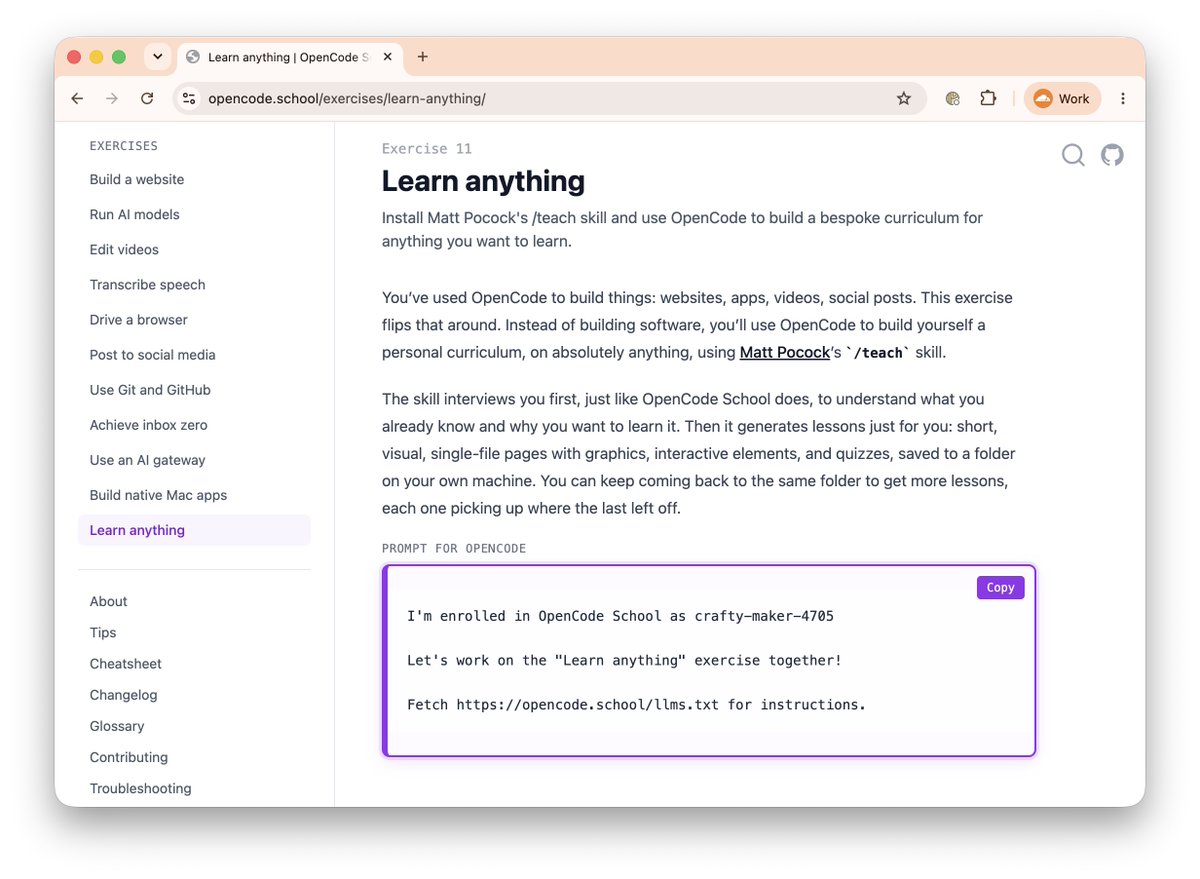
I just added a "Learn anything" exercise to OpenCode School that uses @mattpocockuk's excellent /teach skill.

Give it a topic you want to learn. Not just computer stuff. Literally anything.

Your agent interviews you to understand what you already know and what your learning goals are. Then it generates a local website with personalized lessons. Not just a wall of text, but visually engaging pages with graphics, interactive elements, and quizzes, saved to a folder on your own machine.

https://opencode.school/exercises/learn-anything/

(This is tailored for OpenCode but you can probably throw this URL at any agent and still have a good time.)


I just added a "Learn anything" exercise to OpenCode School that uses @mattpocockuk's excellent /teach skill.

Give it a topic you want to learn. Not just computer stuff. Literally anything.

Your agent interviews you to understand what you already know and what your learning goals are. Then it generates a local website with personalized lessons. Not just a wall of text, but visually engaging pages with graphics, interactive elements, and quizzes, saved to a folder on your own machine.

https://opencode.school/exercises/learn-anything/

(This is tailored for OpenCode but you can probably throw this URL at any agent and still have a good time.)


Bonus: Each lesson in my Durable Objects "course" includes an audio podcast, generated by NotebookLM.

Notebook LM doesn't have an official API, but this project worked nicely for generating the podcasts right from my agent session: https://github.com/teng-lin/notebooklm-py

You know that feeling where you use a terminal or agent harness that doesn't let you click on hyperlinks for a while, and you get used to that, then you switch to one that does?

It's a revelation. A rediscovery of hypermedia.

(I'm a cheap date)

I was never one to write "plz", but now I add it to the end of many agent prompts. Anyone else doing this? Gotta show a little gratitude.

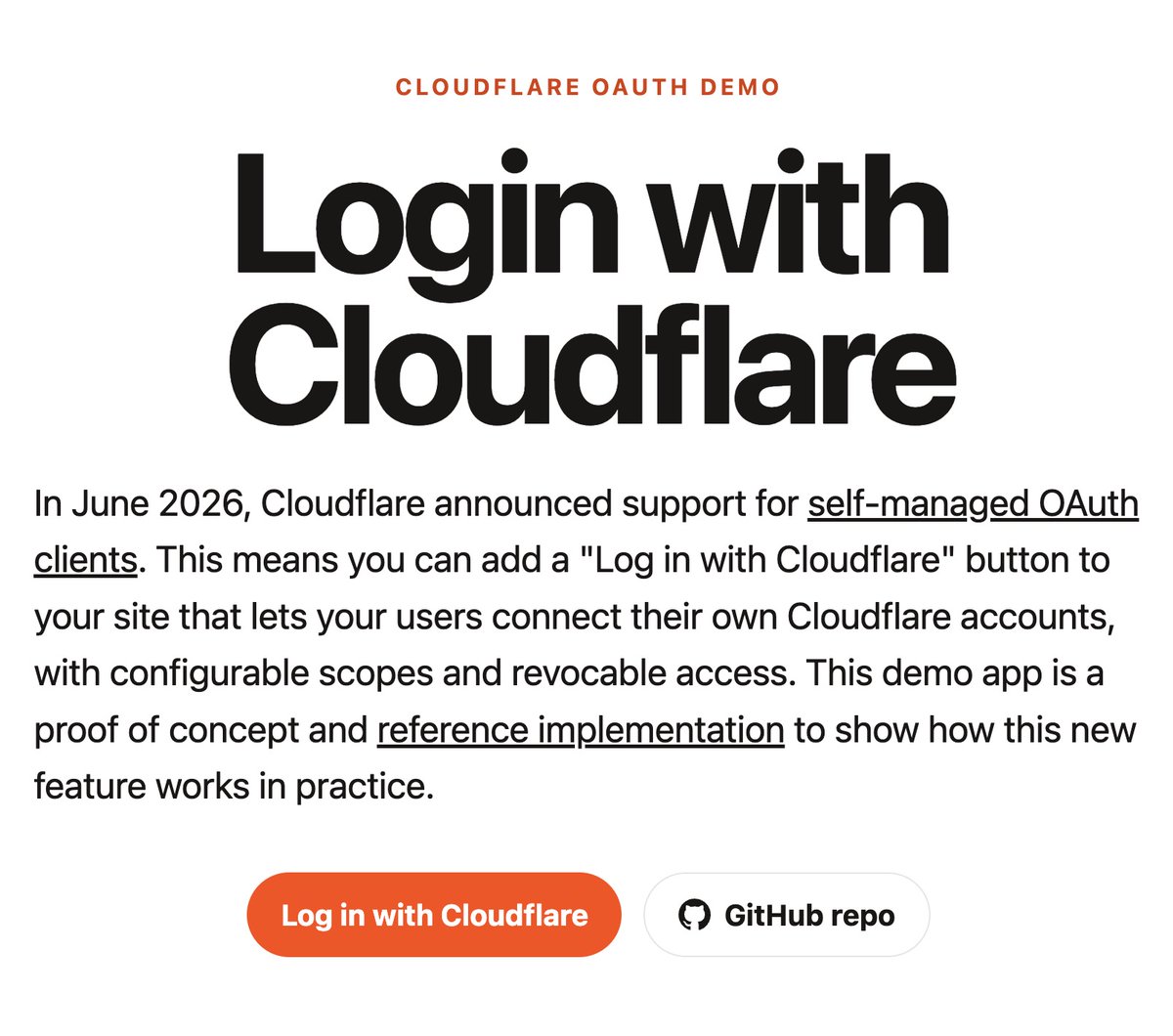
In case you missed it, "Log in with Cloudflare" is now a thing. (aka self-managed OAuth)

https://login-with-cloudflare.ziki.boo/ https://x.com/zeke/status/2064797383339471359

Ο€πŸ§‘Ο€

The Pi coding agent plays nicely with Cloudflare's AI Gateway.

Docs: https://developers.cloudflare.com/ai-gateway/integrations/coding-agents/pi/

πŸ’Έ In an effort to check my Token Privilege, I've been experimenting with using smaller and cheaper models in my daily agent usage.

I use OpenCode with Cloudflare's AI Gateway, which lets me switch to any model from any provider on the fly. Small open-source Workers AI models, or big fancy Anthropic/OpenAI models.

I take it for granted, but it's kinda wild that you can switch to a different model in the middle of an OpenCode session and it'll just keep working. All the context of the session comes with you in the switching of the model.

This comes in handy when you're using a small model and it starts flailing mid-session: you can easily switch the model to Opus or GPT to bail out the session and get it back on track.

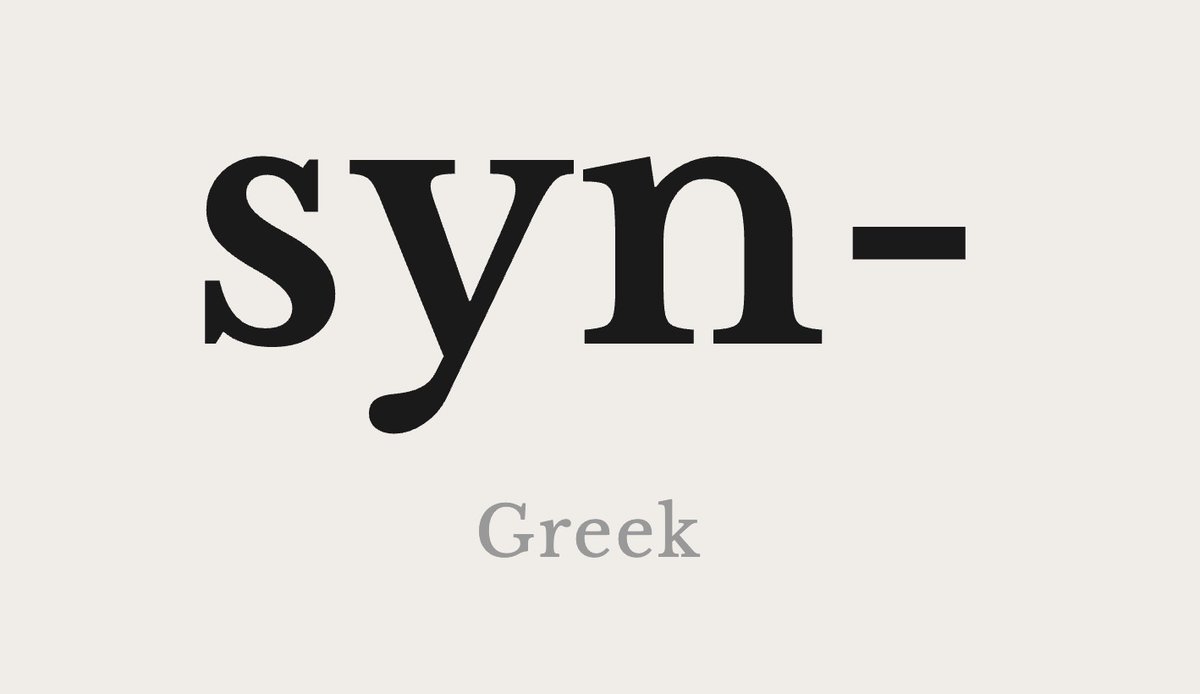
do you know what it means?

https://prefixes.ziki.boo/?p=syn

fomoThings -= 1

Thanks to @megaconfidence, I now have a "personal agent" that I can chat with through Telegram. Got it connected to my GitHub and running GPT and Claude models with vision support through Cloudflare's AI gateway.

No Mac Mini required.

No containers, so it's fast. Uses Code Mode and Dynamic Workers instead.

Whole puppy runs on Cloudflare.

Not gonna lie it took a good bit of back and forth with my local OpenCode agent to get it all wired up and working properly, but it was worth the effort.

Confession: I just had to look up how to merge a git branch to main. πŸ˜…

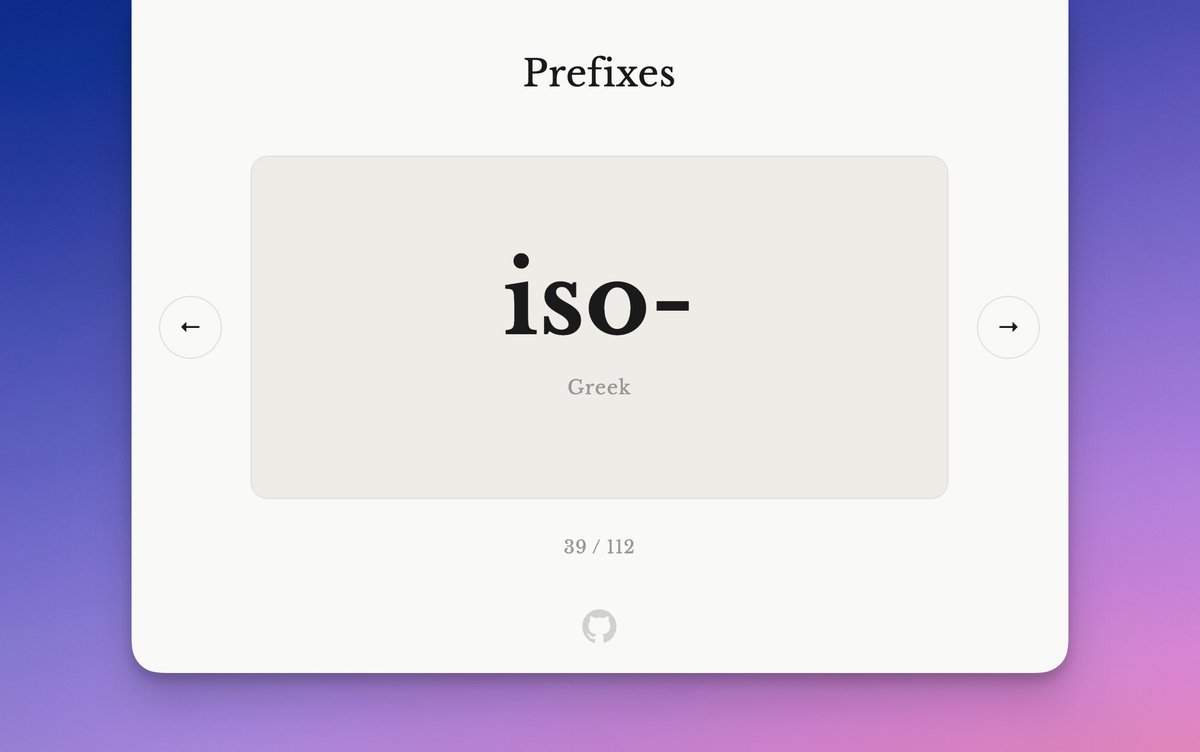
Learn your English prefixes with these flashcards.

https://prefixes.ziki.boo

I thought I had mad skills.

Turns out I only have a few.

https://github.com/zeke/skills

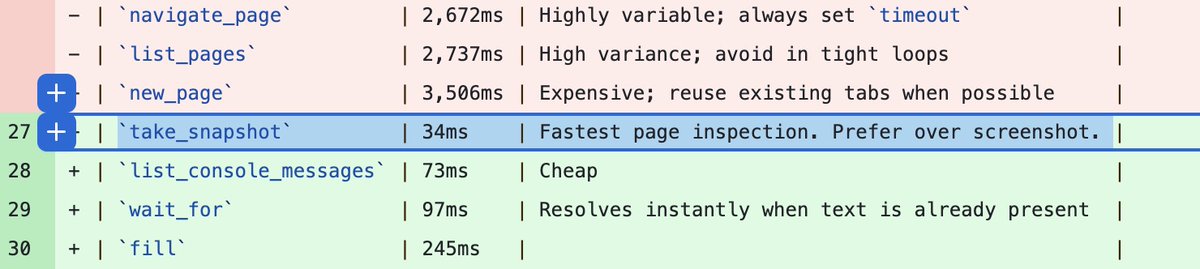
My faster Chrome Devtools skill now supports WebMCP discovery when using Cloudflare's Browser Run.

Point your agent at a website. If the site has WebMCP tools defined, the agent will use them instead of slowly clicking around in the dark trying to figure out how to interact with the site.

WebMCP support is still in beta in Chrome, so the trick was updating the skill to enable Chrome beta features by default for all new Browser Run instances.

Hat tip to @ruifigueira for the guidance. πŸ™

https://github.com/zeke/faster-chrome-devtools-skill


Context:

https://github.com/zeke/faster-chrome-devtools-skill/pull/10/changes

https://developers.cloudflare.com/changelog/post/2026-04-15-br-webmcp/

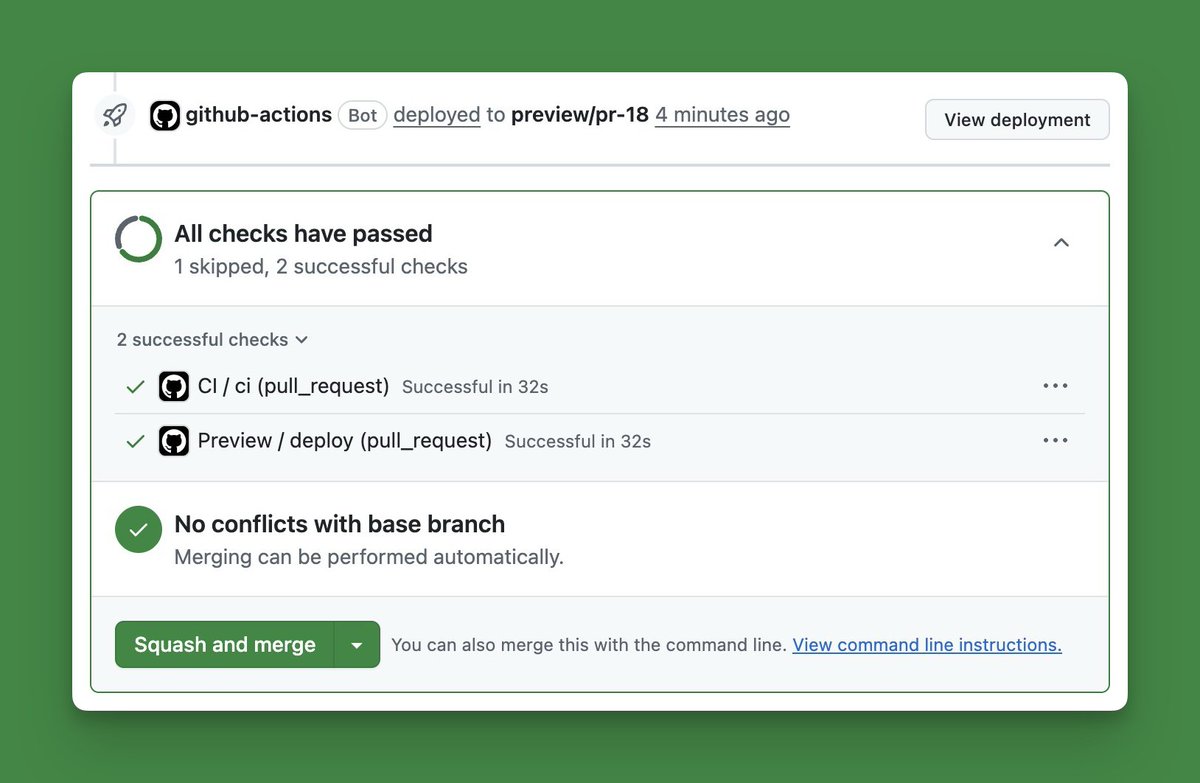
It uses GitHub Actions and the GitHub Deployments API to automatically create preview deployments whenever you open a pull request, and tear them down when you merge or close the PR.This allows you to test your changes in a live environment before shipping them to production.

I made this a skill because there's some nuance to getting these workflows right, and I do it often enough that I want to make the process repeatable.

Try it out and let me know if you hit any snags!


It uses GitHub Actions and the GitHub Deployments API to automatically create preview deployments whenever you open a pull request, and tear them down when you merge or close the PR.This allows you to test your changes in a live environment before shipping them to production.

I made this a skill because there's some nuance to getting these workflows right, and I do it often enough that I want to make the process repeatable.

Try it out and let me know if you hit any snags!

Any WebMCP experts out there?

I'm trying to get agents to reliably auto-detect the presence of WebMCP support in my app, but they generally don't notice or use it unless I specifically mention it in my user prompt like "... and use WebMCP pretty please."

I've added content to the page, adding a console.log message, screen reader notes, and of course populating the document.modelContext object, but those aren't doing the trick.

Any ideas?


This might help (in the Cloudflare Browser Run case, at least):

WebMCP requires Chrome beta features. We have an experimental pool with browser instances running Chrome beta so you can test emerging browser features before they reach stable Chrome. To start a WebMCP session, add lab=true to your /devtools/browser request.

https://developers.cloudflare.com/changelog/post/2026-04-15-br-webmcp/

CLI > MCP

This thing actually works, and it's noticeably faster!

Yank the old Chrome Devtools MCP config out of your agent's JSON file and use this instead:

npx skills add zeke/faster-chrome-devtools-skill --global --all --yes https://x.com/zeke/status/2069214777432477978

⚑️🐌⚑️ The Faster Chrome DevTools Skill is now even faster.

Instead of using DevTools MCP and the Puppeteer runtime, it now bundles a dependency-free Node.js client that speaks Chrome DevTools Protocol (CDP) directly over WebSocket.

Thanks to @mattzcarey for this awesome improvement! 🧑

Check it: https://github.com/zeke/faster-chrome-devtools-skill


Why a CLI instead of an MCP server?

  1. Works anywhere. Any agent with a shell can use it. No MCP server to configure.

  2. Full CDP protocol. MCP has high-level tools plus JS eval, but the CLI can call any Chrome DevTools method.

  3. Leaner context. No more loading always-on tool schemas; the skill loads on demand and runs through your agent's shell.

  4. No screenshot bloat. MCP inlines screenshots into model context, but the CLI writes them to a file and returns the path.

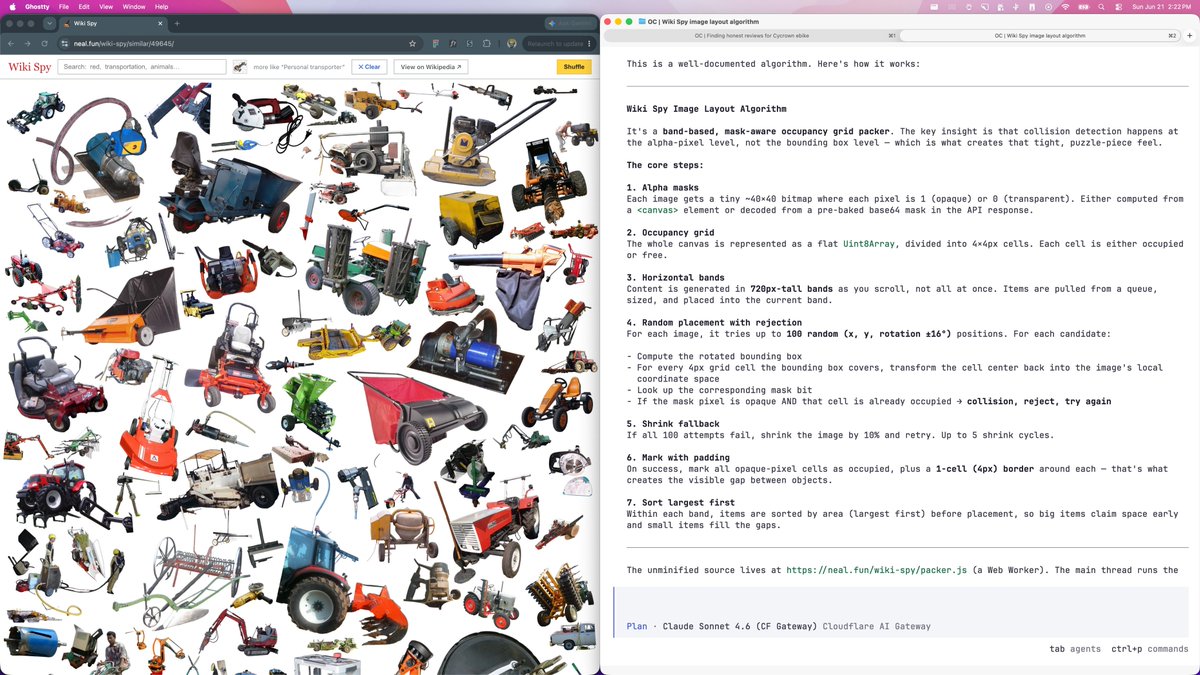
Using AI to understand how http://neal.fun stuff works.

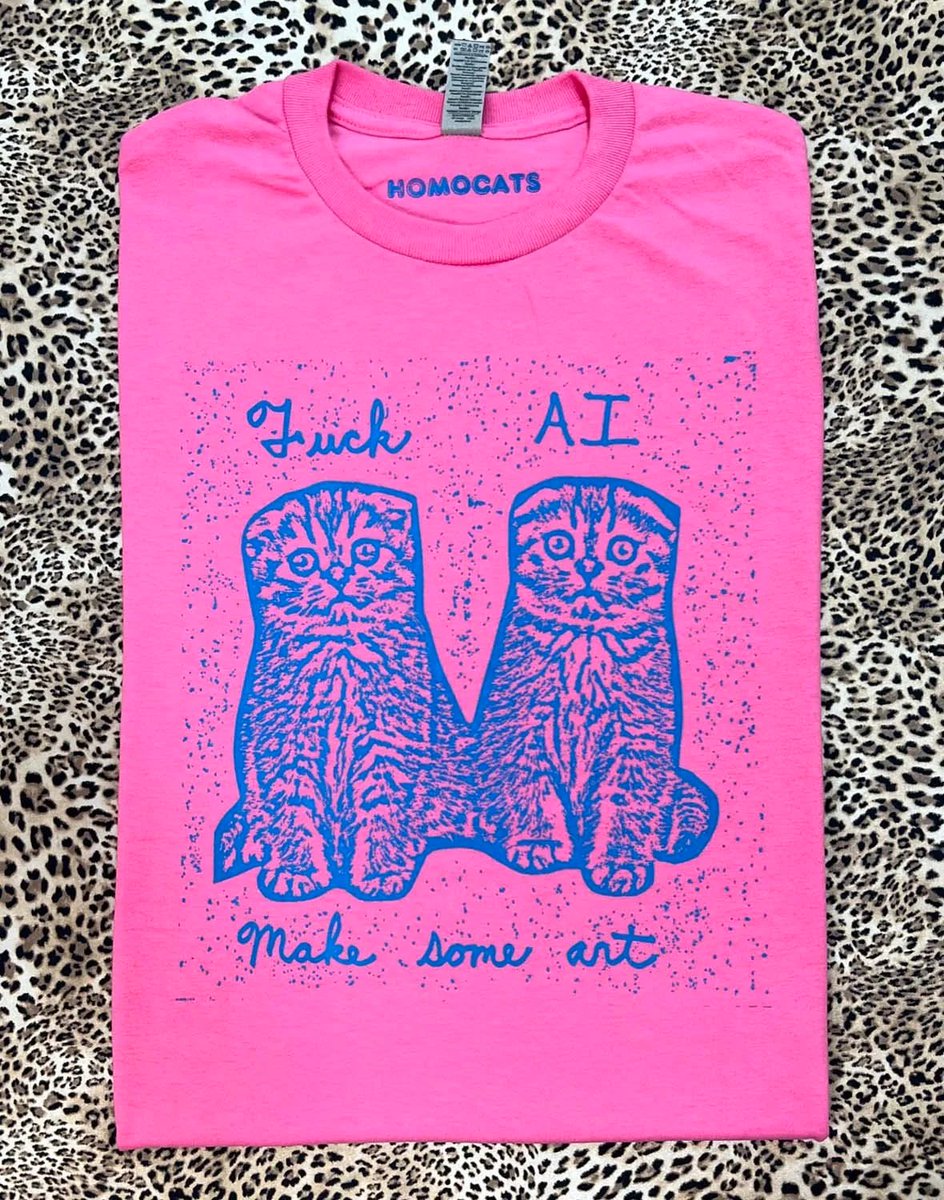
By far my most popular shirt.

https://www.homocats.com/store/f/ai/shirt

Notebook LM has gotten really good.

Dump a bunch of context into the chat, then generate a podcast, video, quiz, flash cards, etc.

And now there's a mobile app too.

And it's free.

https://notebooklm.google

⚑️🐌⚑️

I made some updates to the faster chrome devtools skill

check it: https://github.com/zeke/faster-chrome-devtools-skill


I'm generally not keen on X emoji treatment but this looks pretty tight

let's update the global AGENTS.md to emphatically require all new projects to include their own self-updating AGENTS.md


https://github.com/zeke/agents.md/pull/1/changes

Anyone had luck doing "Computer Use" with the CUA Driver?

I tried it a couple months ago and it kinda worked, but it was pretty slow and janky. Didn't feel ready for primetime.

https://github.com/trycua/cua

I haven't tried Codex's "Computer Use" yet.

Does it work?

Satya Nadella putting words to the daily feeling I now have about my work:

I'm a tokenmaxxer too. It's addictive! [But] you have to step back when the novelty wears off to say, "What is it that I'm trying to create?"


Full interview: https://www.youtube.com/watch?v=zqEZyHkXgh0

I don't get memes but I see a resemblance here.

Wake up, babes. 😎

Cloudflare Imagesβ„’ is old news, but still very good news.

Upload images to R2, then serve them through a dynamic CDN with custom sizes, file formats, face-centering, background removal, all kinds of crazy shit... just by changing query params on the image's URL.

Announcing Free Retro, a lightweight tool for running team retrospectives.

Retrospectives are a simple way for people working together to reflect on a recent project, event, or collaboration. They create space to talk about what went well, what did not go so well, and what could be improved the next time around.

Team retros encourage participation from everyone involved, not just the loudest voices in the room. Everyone gets a chance to add input before the group discusses it together.

Every retro gets a unique, unguessable URL that you can share with anyone. Free Retro is fun, multiplayer, hosted on Cloudflare, open source on GitHub, and free to use.

App: https://freeretro.ziki.workers.dev

Repo: https://github.com/zeke/freeretro


Announcing Free Retro, a lightweight tool for running team retrospectives.

Retrospectives are a simple way for people working together to reflect on a recent project, event, or collaboration. They create space to talk about what went well, what did not go so well, and what could be improved the next time around.

Team retros encourage participation from everyone involved, not just the loudest voices in the room. Everyone gets a chance to add input before the group discusses it together.

Every retro gets a unique, unguessable URL that you can share with anyone. Free Retro is fun, multiplayer, hosted on Cloudflare, open source on GitHub, and free to use.

App: https://freeretro.ziki.workers.dev

Repo: https://github.com/zeke/freeretro


Our process at GitHub was roughly this:

  1. Create a board.
  2. Invite teammates to join.
  3. Blur the cards.
  4. Cameras off. Take a few minutes to add cards.
  5. Cameras on. Reveal the cards.
  6. Group related cards by dragging and dropping.
  7. Emoji react to cards you wanna discuss.
  8. Sort by votes.
  9. Discuss!
  10. Take notes.

Our process at GitHub was roughly this:

  1. Create a board.
  2. Invite teammates to join.
  3. Blur the cards.
  4. Cameras off. Take a few minutes to add cards.
  5. Cameras on. Reveal the cards.
  6. Group related cards by dragging and dropping.
  7. Emoji react to cards you wanna discuss.
  8. Sort by votes.
  9. Discuss!
  10. Take notes.

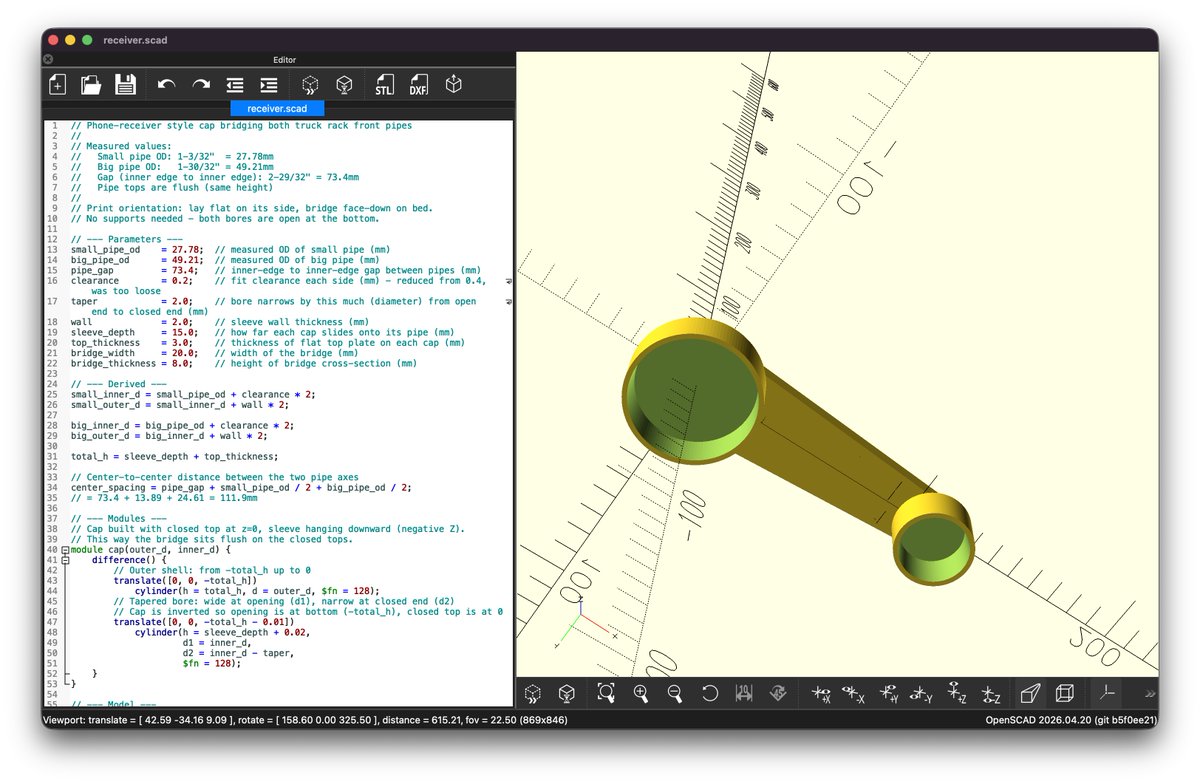
Last week I became a MacOS developer.

This week I'm a 3D printmaker.

photo β†’ OpenCode β†’ OpenSCAD β†’ physical object

More to come on this soon...

Can't stop watching this. Putting it in my library of OBS background loops as my alternate webcam output. https://x.com/cassidoo/status/2064037614210998487

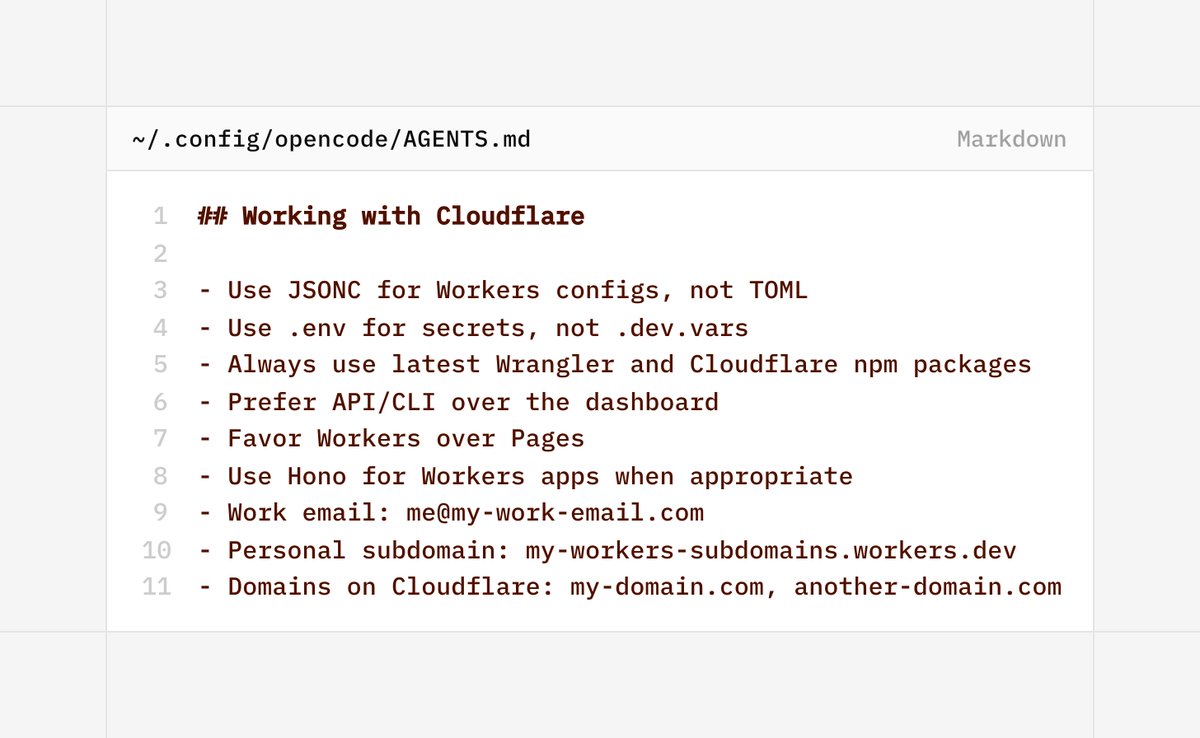
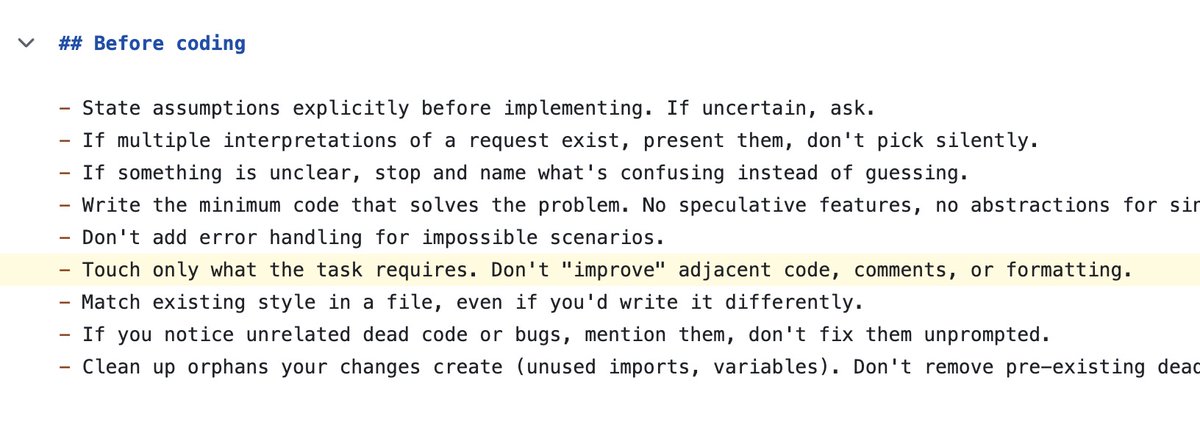
Skillsβ„’ are great, but you can get a lot of mileage from a few precise edits to your global AGENTS.md file.

Here are my Cloudflare pointers that fill the knowledge cutoff gap and give my agents some context about my account setup:


Here's the full enchilada: https://github.com/zeke/agents.md/blob/main/AGENTS.md

TLDR on new Cloudflare AI Gateway stuff:

  • Spend limits: dollar budgets per model, provider, or team.
  • Dynamic routing: over budget falls back to a cheaper model.
  • Per-user/per-team budgets (closed beta).

https://blog.cloudflare.com/ai-gateway-spend-limits/

Wake up babe: VoidZero just joined Cloudflare https://x.com/voidzerodev/status/2062520542121304146


Full details on how I made this video here: https://github.com/zeke/voidzero

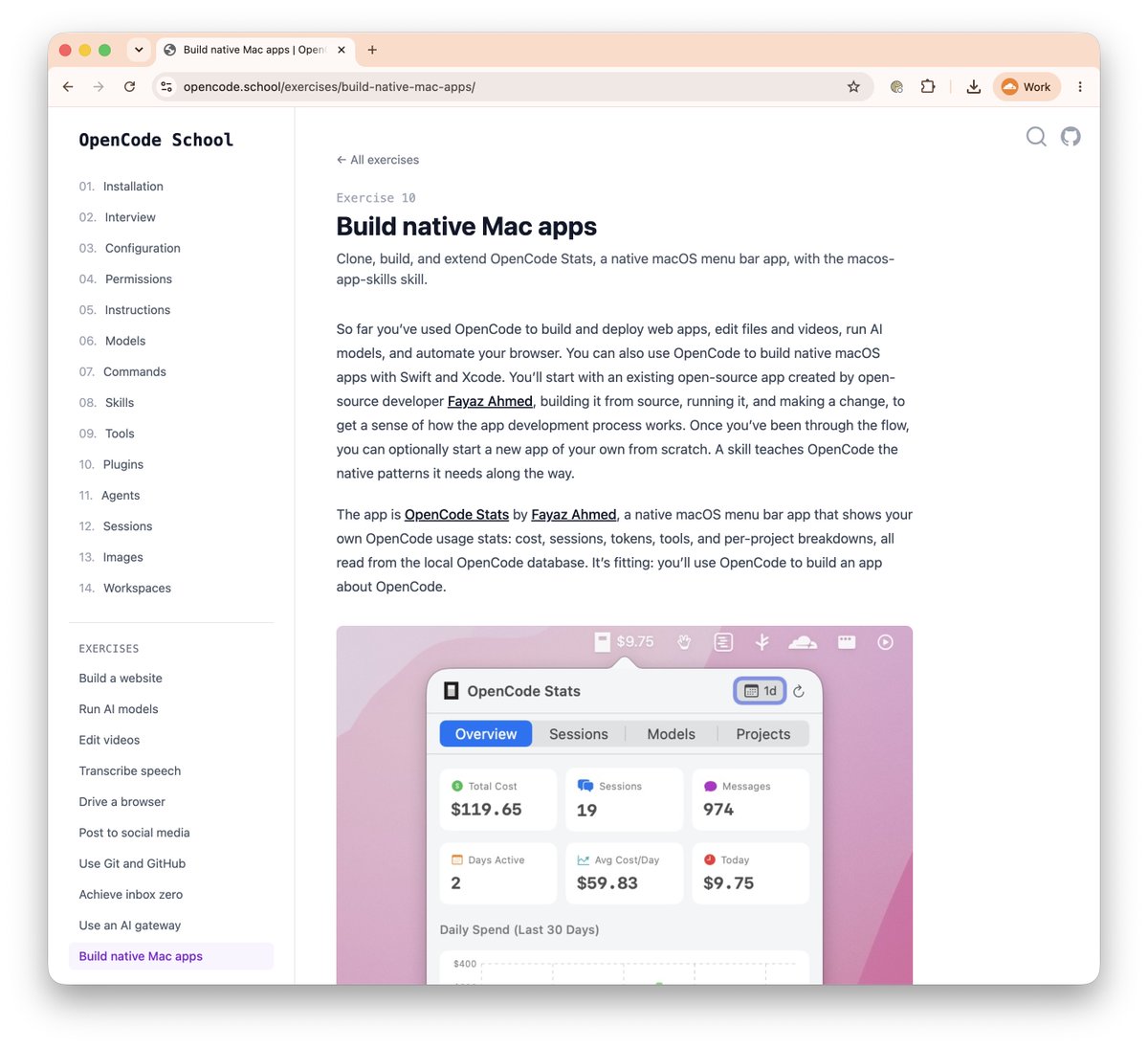
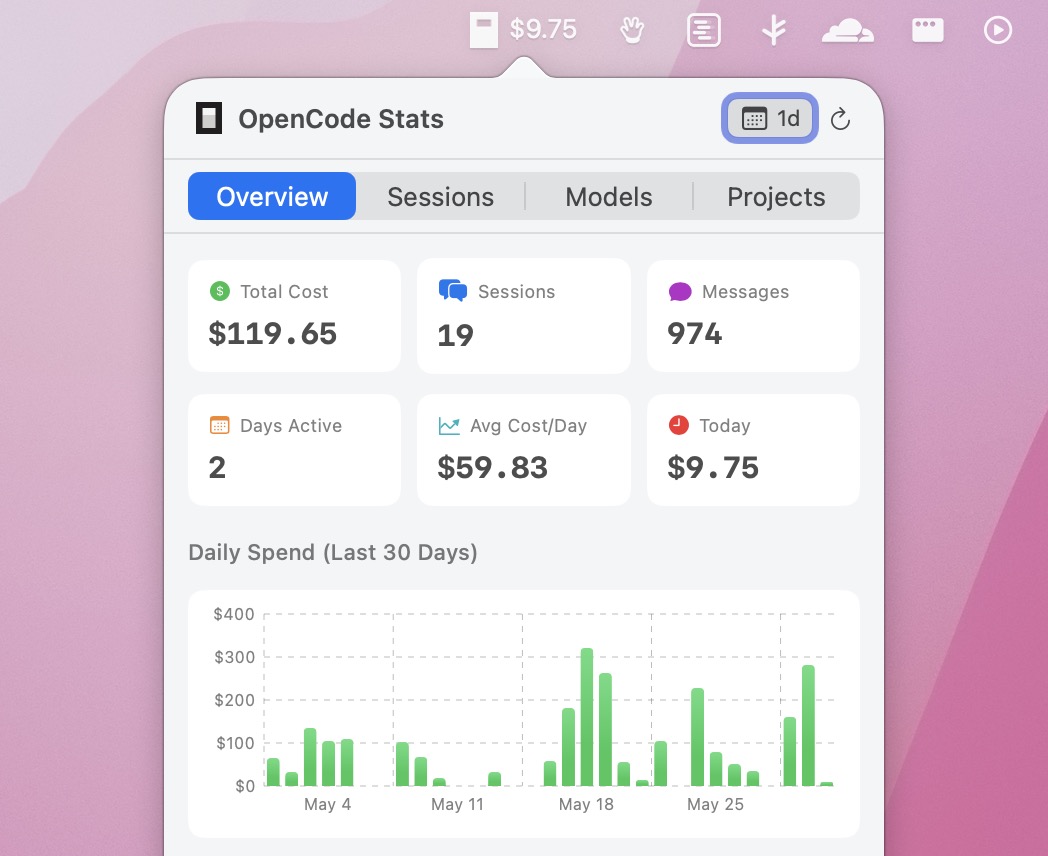
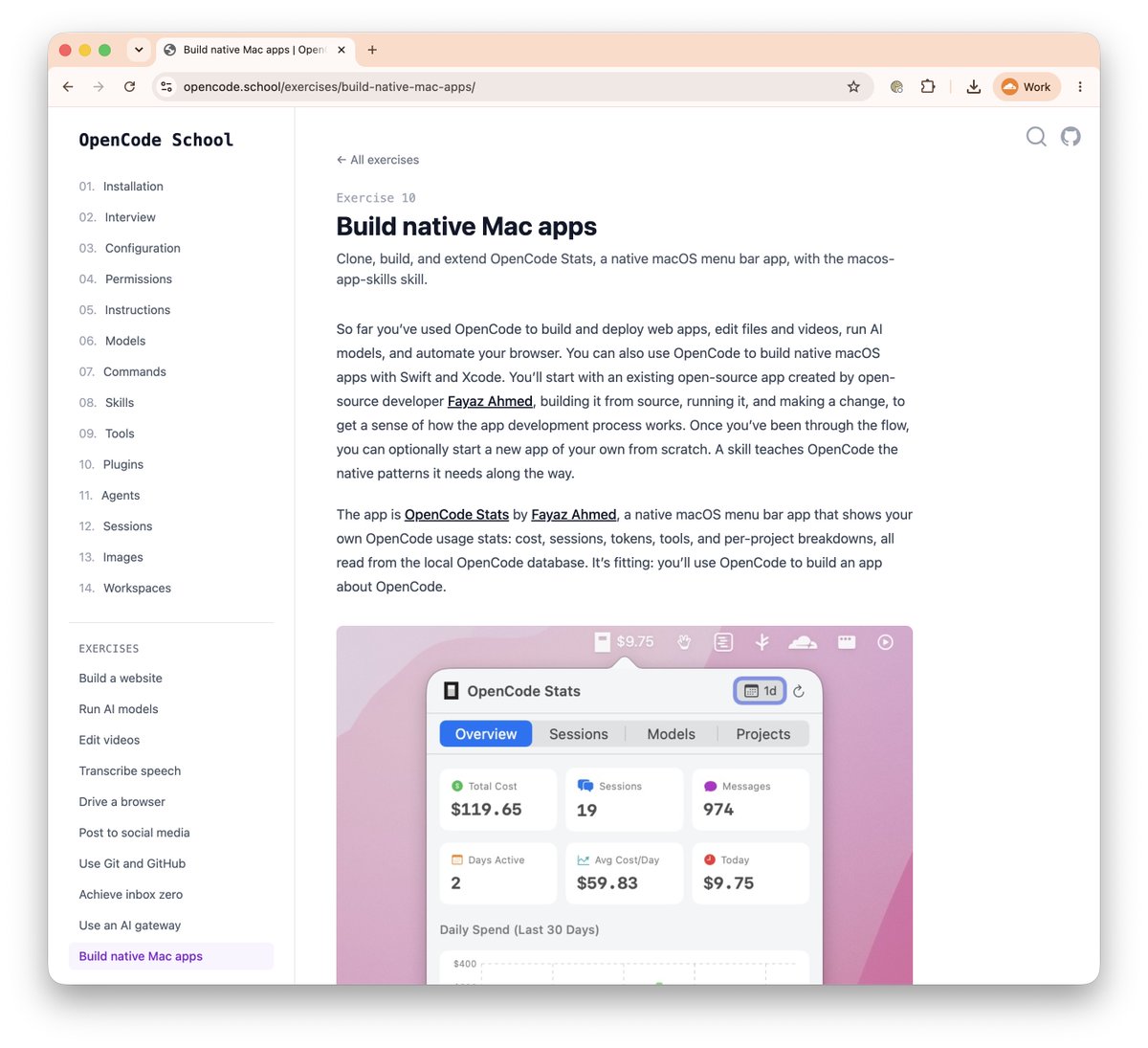
🍏New OpenCode School exercise: Build native MacOS apps.

https://opencode.school/exercises/build-native-mac-apps/

  1. Enroll for free. No signup.
  2. Learn the fundamentals of agent-driven development: models, prompting, skills, tools, etc.
  3. Do some exercises after you've learned the ropes.
  4. Build a freakin' Mac app!
  5. Rejoice, or profit. Whatever you're into.

You can build native MacOS apps. I believe in you.

Here's how:

  1. Install OpenCode, Claude Code, or Codex
  2. Install this skill: https://github.com/fayazara/macos-app-skills
  3. Go pick one of @fayazara's amazing open-source projects and fork it (or contribute improvements!): https://github.com/fayazara


I've also added a new exercise to OpenCode School for building native Mac apps.

Get started at https://opencode.school/exercises/build-native-mac-apps/

πŸ‡ Mediabunny is like ffmpeg: It edits audio and video, but it runs in the browser. Whoa.

Hat tip to @fayazara and @megaconfidence for telling me about this.

https://mediabunny.dev

Want your website to be fast everywhere on earth? Put it on Cloudflare.


Hat tip to @thomasgauvin for building https://geofetcher.com 🌏

πŸ‘ My latest open-source project is powered by ASSβ„’

Not even joking! (ASS) is an open subtitle format that plays nicely with FFMPEG and supports features like per-word timing, animations, transparency, rotation, blur, and vector drawing.

Here's me trying to build a caption-making tool as nice as the one in Screen Studio.

https://github.com/zeke/nice-ass-captions


Also someone please tell me I didn't need to make this thing because there's already a good open-source tool out there that does it better.

πŸ€” Has anyone figured out a nice pattern for including agent session data in git repos? Could be something in the git commits themselves, or an append-only JSON lines file, or something...

The human-to-agent conversation that created the thing is an artifact worth preserving!

I published a skill to make agents better at using the GitHub CLI.

It distills patterns from 1,228 real OpenCode gh invocations: safer PR bodies, valid JSON fields, Actions log inspection, gh api type gotchas, gist quirks, and recovery steps for common failures.

https://github.com/zeke/faster-gh-cli-skill

Ever since my kid got a 3D printer, I never know what surprises will await me each day after school.

Question for @FredKSchott about Flue Framework.

https://flueframework.com/

Opus 4.8 is already live on Cloudflare's AI gateway.

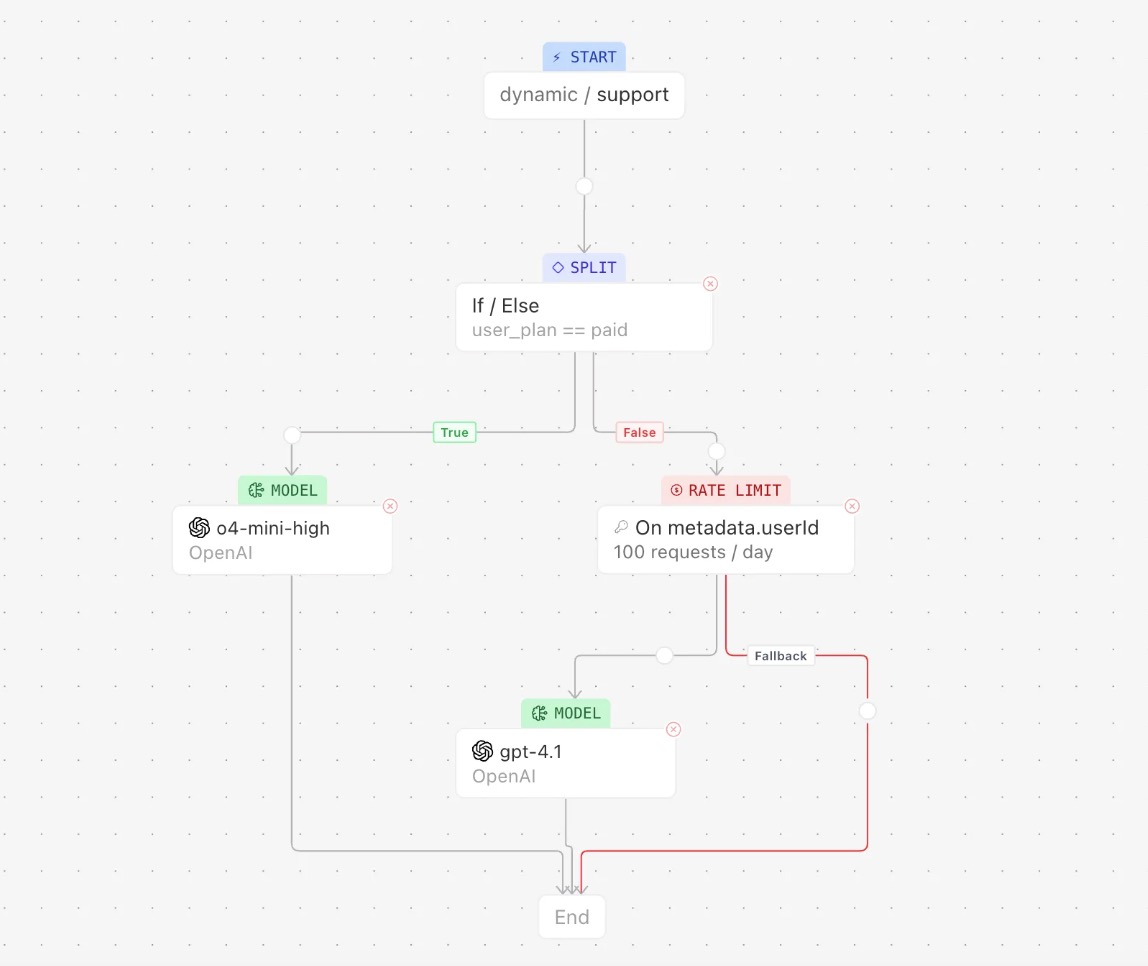
AI gateway is an intermediary between your app/harness and your AI providers (Anthropic/OpenAI/Google/etc) so you have observability, dynamic model routing, fallbacks, and unified billing.

Set it up! https://opencode.school/exercises/use-an-ai-gateway/

Opus 4.8 is already live on Cloudflare's AI gateway.

AI gateway is an intermediary between your app/harness and your AI providers (Anthropic/OpenAI/Google/etc) so have observability, dynamic model routing, fallbacks, and unified billing.

Set it up! https://opencode.school/exercises/use-an-ai-gateway/